| infotek | 2026-01-05 14:37 |
《多元化光学仿真平台-VirtualLab Fusion中文教程》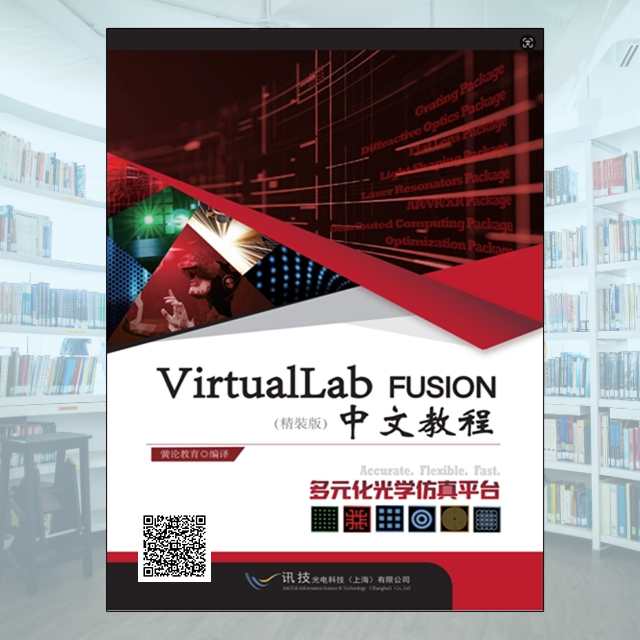 第一章 介绍(Introduction) 20 1 VirtualLab Fusion 套装(VirtualLab Fusion Packages) 20 2 VirtualLab Fusion 与拓展工具(VirtualLab Fusion and External Tools) 20 3 如何使用Manual(How to Use this Manual) 21 第二章 用户界面(User Interface) 21 4 用户界面结构(Structure of User Interface) 21 4.1文档与文档窗口( Documents and Document Windows) 22 4.2 功能区(Ribbon) 25 4.3 停靠标签(Docking Tabs) 31 4.4 状态栏(Status Bar) 32 4.5 通告栏与通知图标(Notifications and Notify Icon) 33 5 通用控制(Common Controls) 34 5.1输入带单位数值控制( Control for Input of Values with Units) 34 5.2输入复数数值控制( Control for Input of Complex Values) 37 5.3 二维矢量输入控制(Control for Input of Two-Dimensional Vectors) 37 5.4 二维数组输入控制(Control for Input of Double Arrays) 37 5.5 单方向定义控制(Control for Defining a Single Direction) 38 5.6 定义固体方向控制(Control for Defining a Solid’s Orientation) 40 5.7 设置文档按钮(Button to Set a Document) 43 5.8 表格(Tables) 44 5.9 输入数据对控制(Control for Input of Data Pairs) 44 5.10 有效性标志(Validity Indicator) 46 5.11 颜色映射(Color Mapping) 46 5.12 定义所使用级次控制(Control for Defining Used Orders) 47 5.13 编程与数据集控制(Control for Programmable and Databased Input) 48 5.14 表面介质顺序预览(Preview for Surface Media Sequences) 48 5.15 3D视图(3D View) 49 5.16 定义一个ABCD矩阵(Defining an ABCD Matrix) 54 6 全局选项对话框(Global Options Dialog) 58 6.1 默认设置>建模概述(Default Settings > Modeling Profile) 59 6.2 默认设置>坐标系(Default Settings > Coordinate Systems) 60 6.3 默认设置>整体视图设置(Default Settings > General View Settings) 61 6.4字体(Default Settings > General View Settings > Font) 61 6.5显示数 (Default Settings > General View Settings >Display of Numbers) 62 6.6 光源代码编辑器 (Default Settings > General View Settings > Source Code Editor) 63 6.7 默认设置>文档窗口(Default Settings > Document Windows) 63 6.8 默认设置>文档窗口>1D视图 (Default Settings > Document Windows > 1D Views) 66 6.9 默认设置>文档窗口>2D视图 Default Settings > Document Windows > 2D Views) 67 6.10 默认设置>文档窗口>3D视图 (Default Settings > Document Windows > 3D Views) 68 6.11 默认设置>文档窗口>剩余文档 (Default Settings > Document Windows > Legacy Documents) 68 6.12 默认设置>采样对话框(Default Settings > Sampling Dialog) 69 6.13 性能(Performance) 69 6.14 性能>RAM消耗(Performance > RAM Consumption) 70 6.15 性能>多核(Performance > Multi-Core) 71 6.16 可选对话框(Optional Dialogs) 71 6.17 文件处理(File Handling) 72 6.18 经典场追迹(Classic Field Tracing) 72 7 编程(Programming) 73 7.1 光源代码编辑控制器(Source Code Editor Control) 74 7.2 模块视图(Module View) 76 7.3 使用Snippets光源代码编辑器(Source Code Editor for Snippets) 78 7.4 最终用户编程项目(Programmable Items for End Users) 84 8. 分布式计算(Distributed Computing) 85 8.1 服务器工具(Server Tools) 86 8.2 客户端(Clients) 88 9 命令行参数(Command Line Arguments) 90 10 授权信息对话框(License Information Dialog) 92 第三章 结果文档(Result Documents) 94 11 基本概念(Basic Concepts) 94 11.1 场量(Field Quantity) 94 11.2 数值缩放(Value Scaling) 95 11.3 标记与选取(Markers and Selections) 101 11.4 区域(Zoom) 109 11.5 纵横比(Aspect Ratio) 110 11.6 复制到剪贴板(Copy View to Clipboard) 111 11.7图形附加( Graphics Add-Ons) 112 11.8 抑制数值相位影响(Suppressing Numerical Phase Artifacts) 115 12 谐波场和谐波场设置(Harmonic Fields and Harmonic Fields Sets) 116 12.1 谐波场数据(Harmonic Field Data) 116 13 数据阵列(Data Arrays) 122 13.1 数据阵列类型(Types of Data Arrays) 124 13.2 插值方法(Interpolation Methods) 125 13.3 外推模式(Extrapolation) 127 13.4 数据阵列输入(Import of Data Arrays) 127 13.5 数据阵列视图(Data Array View) 127 14 多色场设置视图(Chromatic Fields Set View) 145 14.1 波长选择(Wavelength Selection) 145 14.2 颜色模式(Color Mode) 146 14.3 最大亮度(Maximum Lightness) 146 14.4 工具栏(Toolbar (For the Preview in the Light Sources Catalog)) 148 15 脉冲与光场组件(Pulse and Field Component) 148 16 对象组合(Set of Objects) 150 16.1 区域视图与对象选择 (The View Area and Switching Between Objects) 150 17 光线分部视图(Ray Distribution View) 151 17.1 3D视图(3D View) 151 17.2 2D视图(2D View) 154 17.3 模式选择(Mode Selection) 158 17.4 光线着色(Coloring Rays) 158 18 级次集合视图(Order Collection View) 159 19 衍射级次图表(Diffraction Orders Diagrams) 160 19.1 选择展示的衍射级次(Select Diffraction Orders to Show) 161 20 动画试图(Animation View) 162 20.1 功能区项目(Ribbon Items) 162 20.2 拼接动画(Stitch Animations) 163 20.3 动画选项(Animation Options) 目录篇幅较长,要全部目录可以加微咨询18001704725 |
|